
0
USD$0.00
1 Panel (2 Page) CD Cover

Description
|
Digitally-printed full colour CD cover with AQ gloss coating. This item includes full-colour digital printing of CD covers from your PDF files. We print both sides of the 100 lb gloss text paper in full colour. Includes economy 10 to 15 day turntime. For more info on our printing service click here. For professional CD pressing with jewelcase packaging and printing, please visit our CD replication page. |
Design your artwork files using the template found at the top of this page. If no template is available and it's also not found in our general templates page, please respond to your confirmation order to request a template. We highly recommend using our templates as templates found from other sources may not fit our printing specs.
Some products allow you to design your artwork in the browser. If you see a "Design Online" button next to "Add to Cart", you can design on this page and it will automatically upload your files upon checkout.
For those supplying their own artwork, you will find an upload link on the order confirmation page after payment. You will also find a link in your confirmation email.
Important Design Tips
- We require PRINT-READY files (i.e. no transparency effects, export as PDF/X-1A for printing). Design assistance is available as an additional service.
- Artwork for print must be a resolution of at least 300 pixels per inch and in CMYK, unless noted otherwise in the template.
- All paper print items require a bleed of 1/8" (approx. 3mm) unless noted otherwise.
- Always leave a safety margin of 1/8" from the edge of the paper to important text or visuals - otherwise there is a risk of it getting cut off.
- Place your artwork in a separate layer
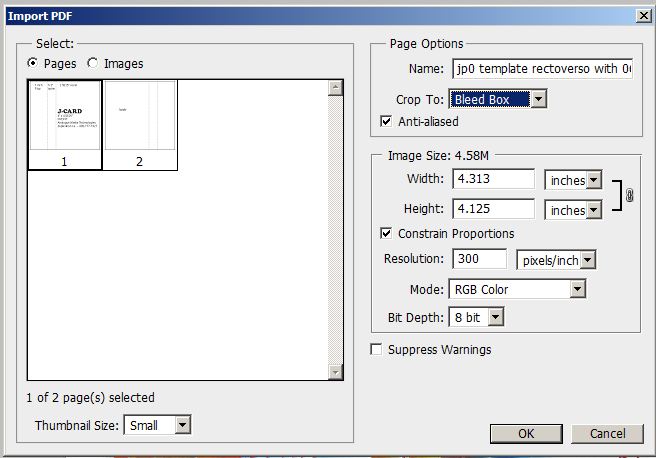
Note for Photoshop users: When you import a PDF please select Crop to: Bleed Box
There have been no reviews
Only registered customers are allowed to add review. Please sign in and add your own review!
Customers Also Bought
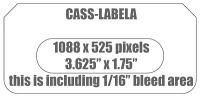
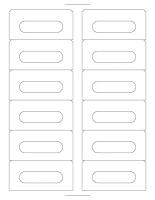
Printed SQUARE BOTTOM CORNERS Audio Cassette Labels, Full Bleed, 12 Up
CASSLABEL-12UP-DIGI
USD$10.95
Categories
Bestsellers
-

CD Traycard Inlay
USD$0.09
-
1 Panel (2 Page) CD Cover
USD$0.16
-
CD O-Cards
USD$0.37
-
CD "Belly Band" Obi-Strips
USD$0.46

Testimonials
very impressed and satisfied with the tapes thanks alot ill def be ordering more
Sean L.
Shimmer Bed
Thanks Jerry! Also just wanted to say we are very happy with the level of service we are...
Michael M.
Barbaric Brutality
We've been working with duplication for going on 10 years now. Always blown away by their...
Ryan
Ingrown Records
we received the paper parts today. couldn't be more pleased with them. thank you so much for...
Victor
Stariana
The CDs arrived today and sound and look great. Working with you folks on the project was...
Mike D
Urban Surf Kings


